
How to increase sales with discount campaigns, coupons, and a loyalty program (Guide)
Short answer: To boost sales and repeat purchases in your store, you can build campaign setups from the Pazarlama → Kuponlar (Marketing → Coupons), Promosyonlar (Promotions), and Flaş indirimler (Flash sales) screens. To retain customers, under Sadakat programı (Loyalty program), you can configure point earning rules, missions, and Şans çarkı (Spin wheel).
Step-by-Step Campaign, Coupon, and Loyalty Program Setup
Step 1: Create a Discount Coupon or Voucher Pool
- Go to Pazarlama → Kuponlar in the left menu and click the Yeni kupon (New coupon) button in the top right.
- Enter the coupon code (e.g.,
MERHABA10), discount type (Yüzde %(Percentage %),Sabit tutar TL(Fixed amount TRY), orÜcretsiz kargo(Free shipping)), minimum cart amount, and validity dates, then save. - To generate personalized single-use codes, use the Kupon havuzları (Voucher pools) and Kupon dağıtımları (Voucher issuances) screens.
Step 2: Set Up Automatic Cart Promotions, Flash Sales, and Gift with Purchase
- For automatic cart campaigns that require no code, open the Promosyonlar and Promosyon kampanyaları (Promotion campaigns) screens.
- Use Flaş indirimler for timed countdown campaigns, and the Hediyeli alışveriş (Gift with purchase) page for bundle and free-gift offers.
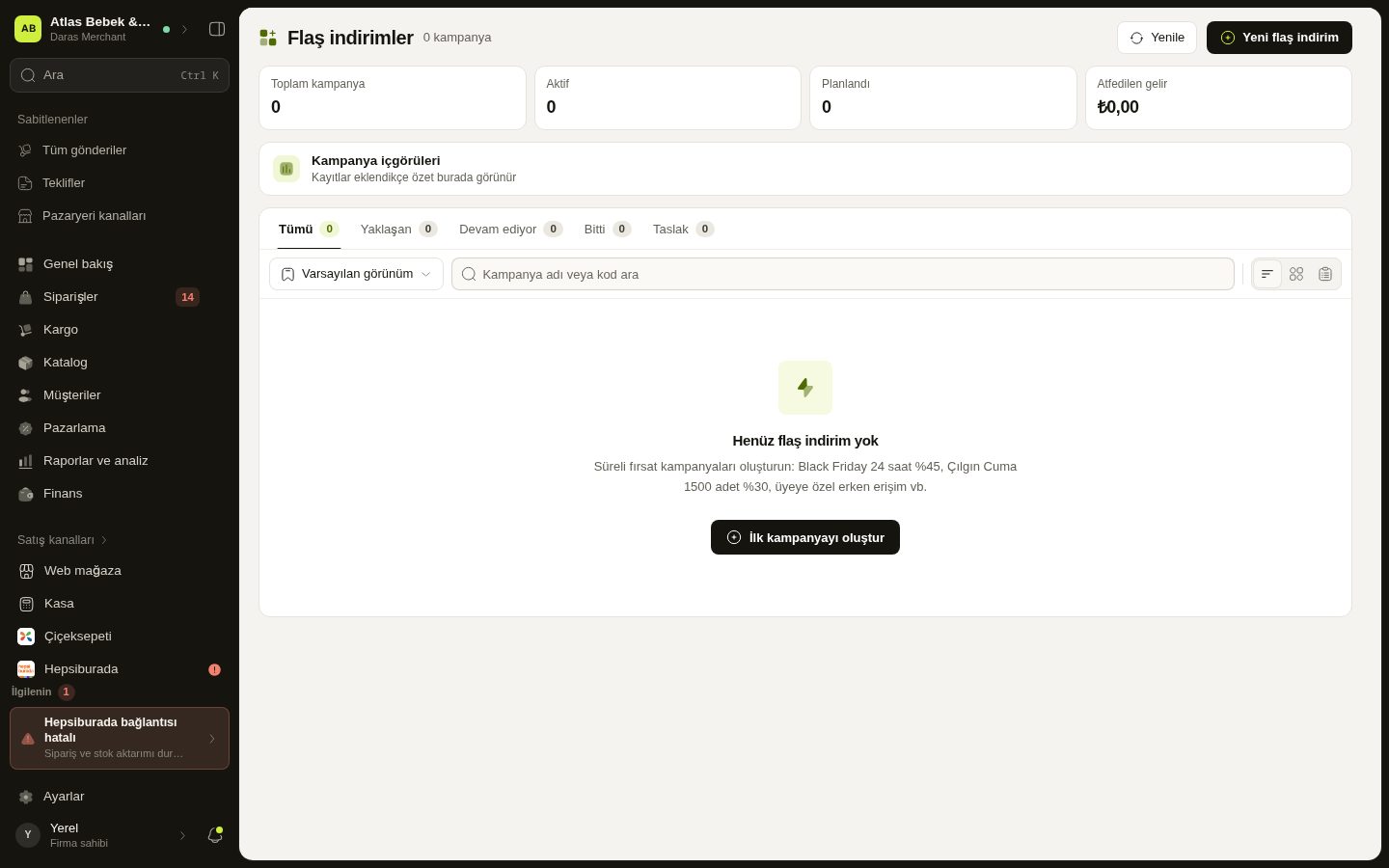
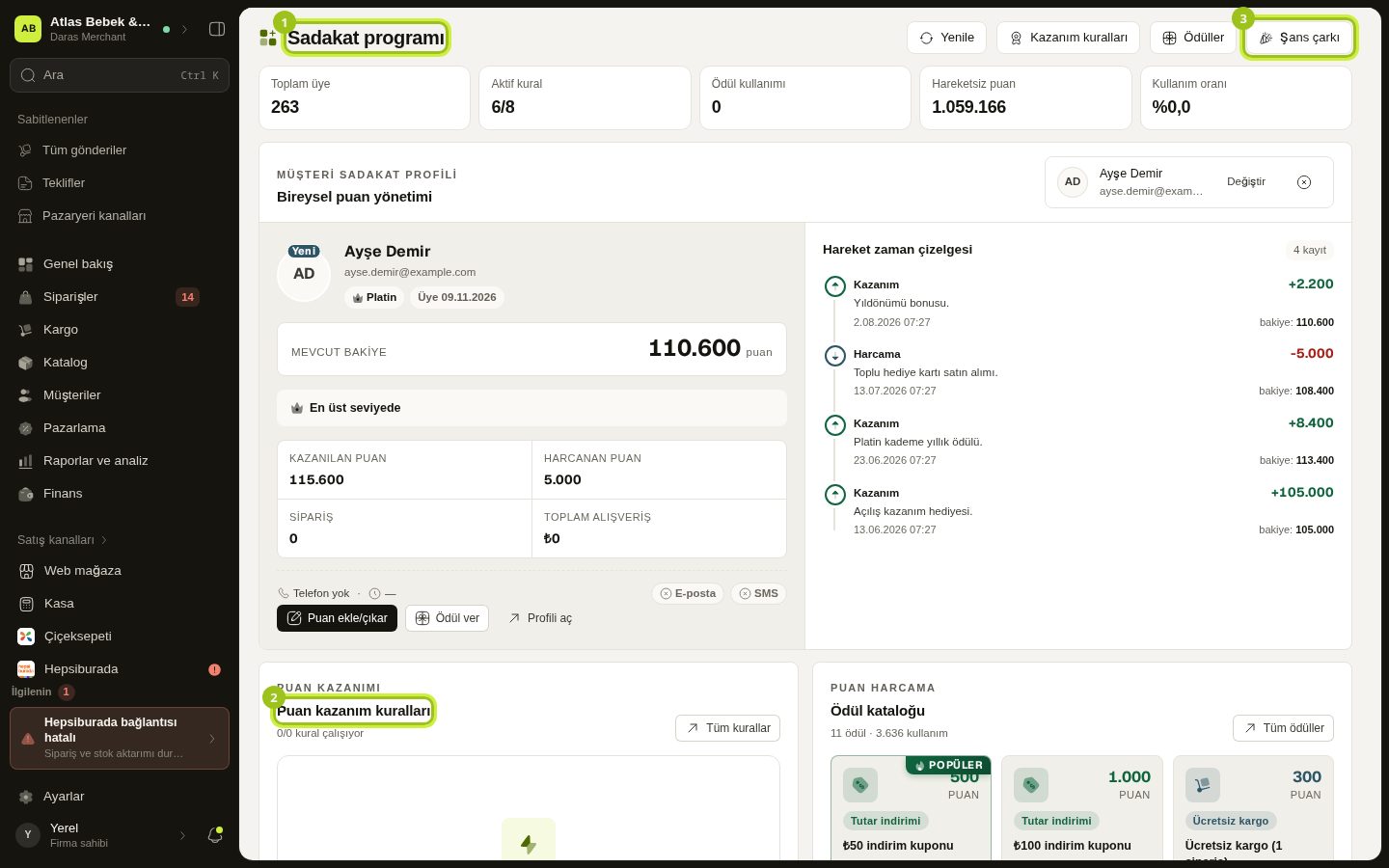
Step 3: Enable the Loyalty Program, Missions, and Spin Wheel
- Go to Müşteriler / Pazarlama → Sadakat programı (Customers / Marketing → Loyalty program) in the left menu.
- Set how many points are earned per 100 TRY spent on the Puan kazanım kuralları (Point earning rules) screen, and define how points can be redeemed on the Ödüller (Rewards) screen.
- Enable Görevler (Missions), Yarışmalar (Challenges), and the storefront reward module Şans çarkı to boost customer engagement.
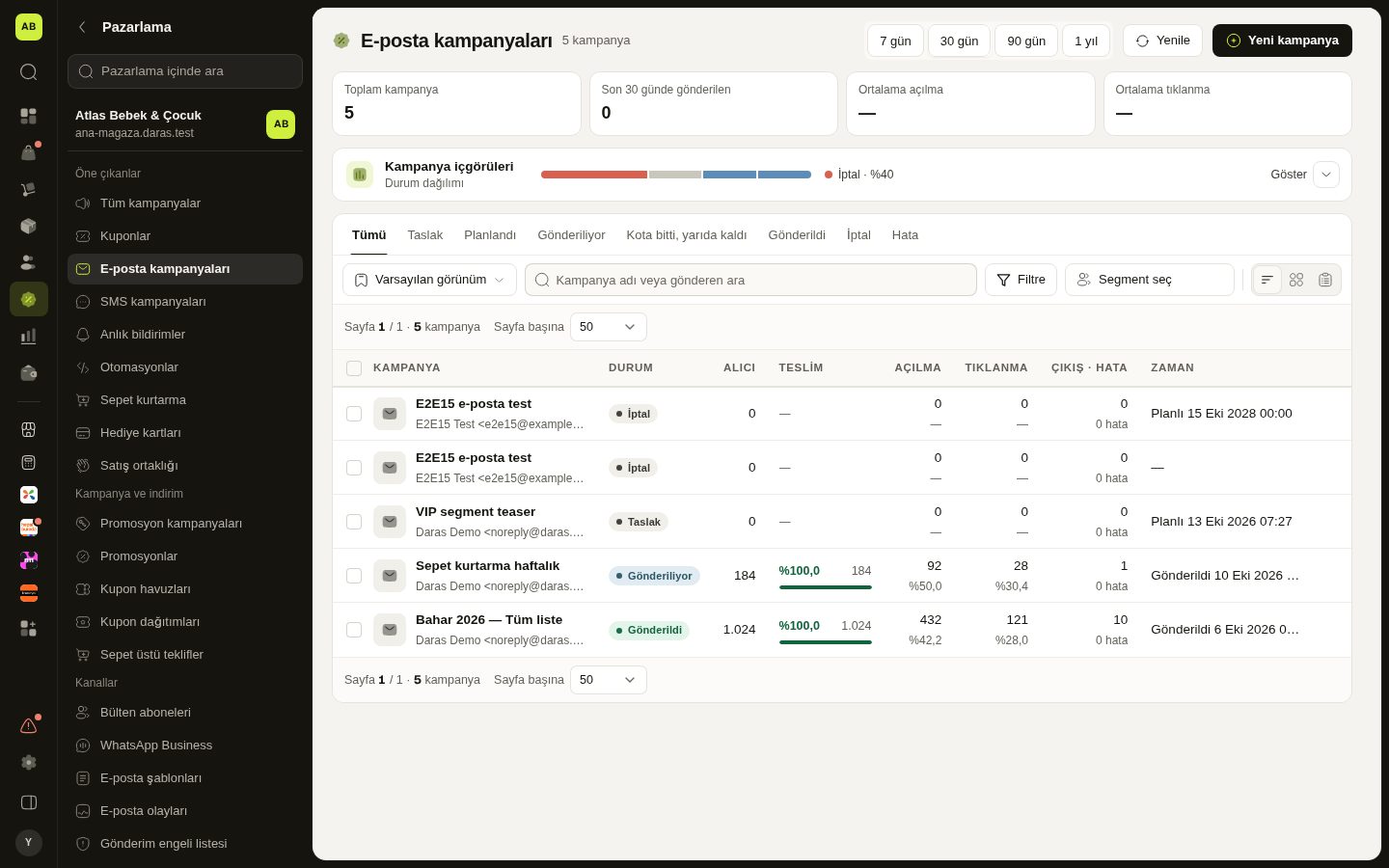
Step 4: Manage Email, Newsletter, Influencer, and Affiliate Programs
- Send campaign announcements from the E-posta kampanyaları (Email campaigns) and Bülten aboneleri (Newsletter subscribers) screens; manage templates on E-posta şablonları (Email templates), track delivery statuses on Bildirim teslimatları (Notification deliveries), and monitor blocked addresses on the Gönderim engeli listesi (Email suppressions) page.
- For social media partnerships, use the Fenomen iş birlikleri (Influencer collaborations), Satış ortaklığı (Affiliate program), and Tavsiye programları (Referral programs) screens.
Common Issues and Solutions
| Issue / Warning | Cause | Solution |
|---|---|---|
| Customer gets a "Kupon geçersiz" ("Invalid coupon") warning when entering the coupon code | The coupon status was left as Pasif (Inactive), its usage limit has been reached, or the cart total is below the minimum limit. |
Select the coupon on the Kuponlar (Coupons) screen, click the Aktifleştir (Activate) button, and check the minimum cart limit. |
| Two campaigns stacked in the same cart | The "Diğer indirimlerle birleştirilebilir" (Combinable with other discounts) option was left enabled in the promotion settings. | Turn off the combination rule on the campaign edit screen to protect your profit margin. |
| "Sabit tutarlı ödül mağazanın para biriminde olmalı" ("Fixed-amount reward must be in the store's currency") warning appears when saving a reward | The fixed-amount discount reward was entered in a currency different from the store's currency. | Enter the reward amount in your store's currency on the Ödüller screen; a reward coupon in a different currency will not apply in the cart. |