
How to manage delivery windows, installation/service appointments, and B2B wholesale quote requests
For stores selling furniture, home appliances, curtains/rugs, flowers, groceries, or wholesale (B2B) goods, standard shipping is often not enough—you need scheduled delivery, on-site installation/service, and corporate price quote workflows. In Daras, you can manage all of these field and B2B operations from a single hub.
1. Fulfillment, Delivery Windows, and Store Pickup (Click & Collect)
- From the left menu, open the Siparişler → Sevkiyat merkezi (Orders → Fulfillment hub) screen to view packages ready for preparation.
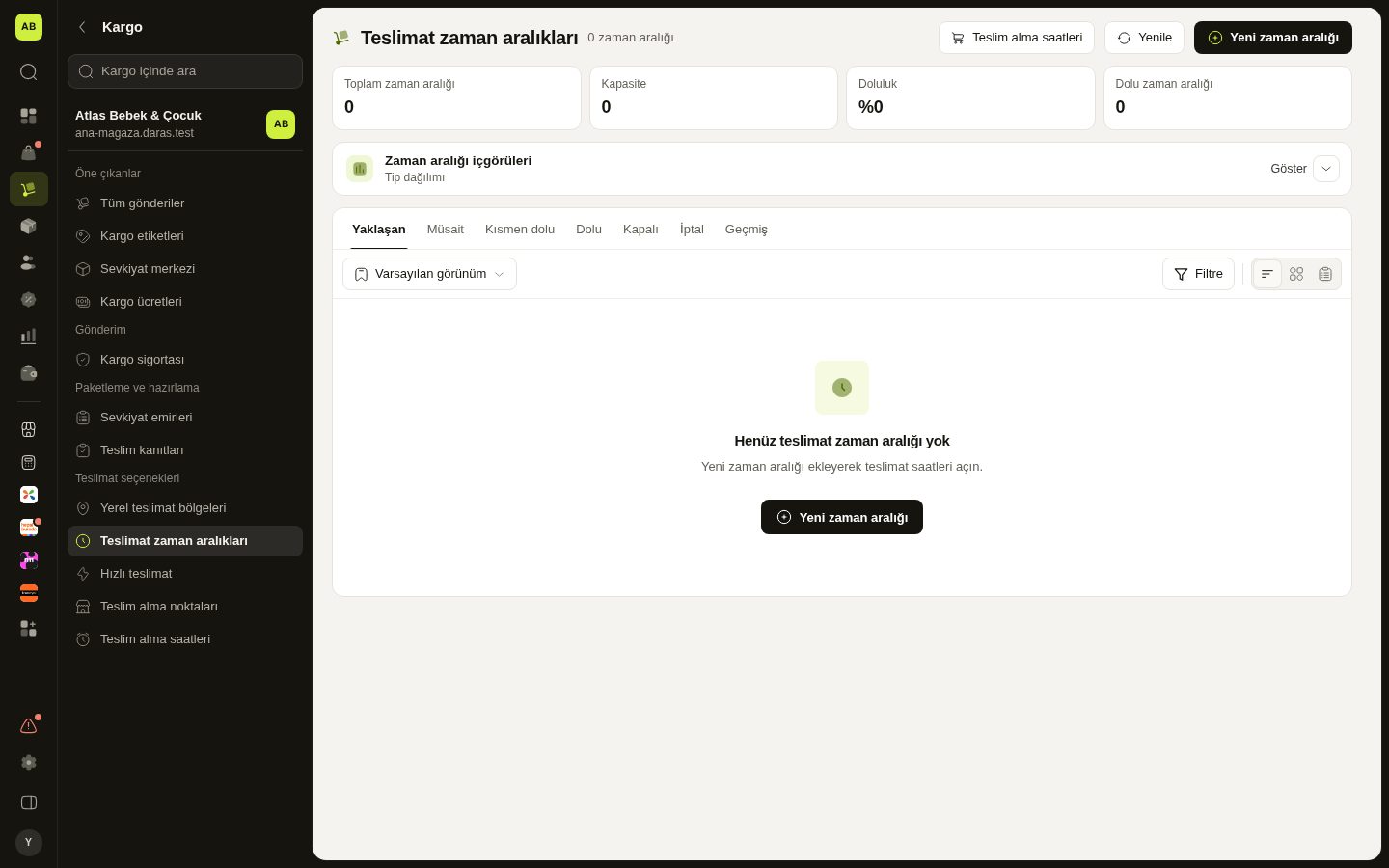
- To let customers pick a delivery day and time, define time slots and maximum hourly order capacities on the Teslimat pencereleri (Delivery windows) page.
- For the "Mağazadan Gel-Al" (Click & Collect) option, open available branch-level time slots on the Teslim alma saatleri (Pickup slots) screen.
- For courier deliveries, review photo and signature records on the Teslimat kanıtları (Proofs of delivery) page.
2. Installation, Service Appointments, and Service Level (SLA)
- If you offer assembly or installation along with the product, assign crews from the Kurulum ve montajlar (Installations) screen.
- For appointment-based services such as maintenance, repair, veterinary care, or salon bookings, use the Operasyon → Servis randevuları (Operations → Service appointments) and Servis noktaları (Service centers) pages.
- Track on-time shipping targets for orders on the Hizmet seviyesi (SLA) (Service level (SLA)) screen.
3. B2B Wholesale and Quote Requests
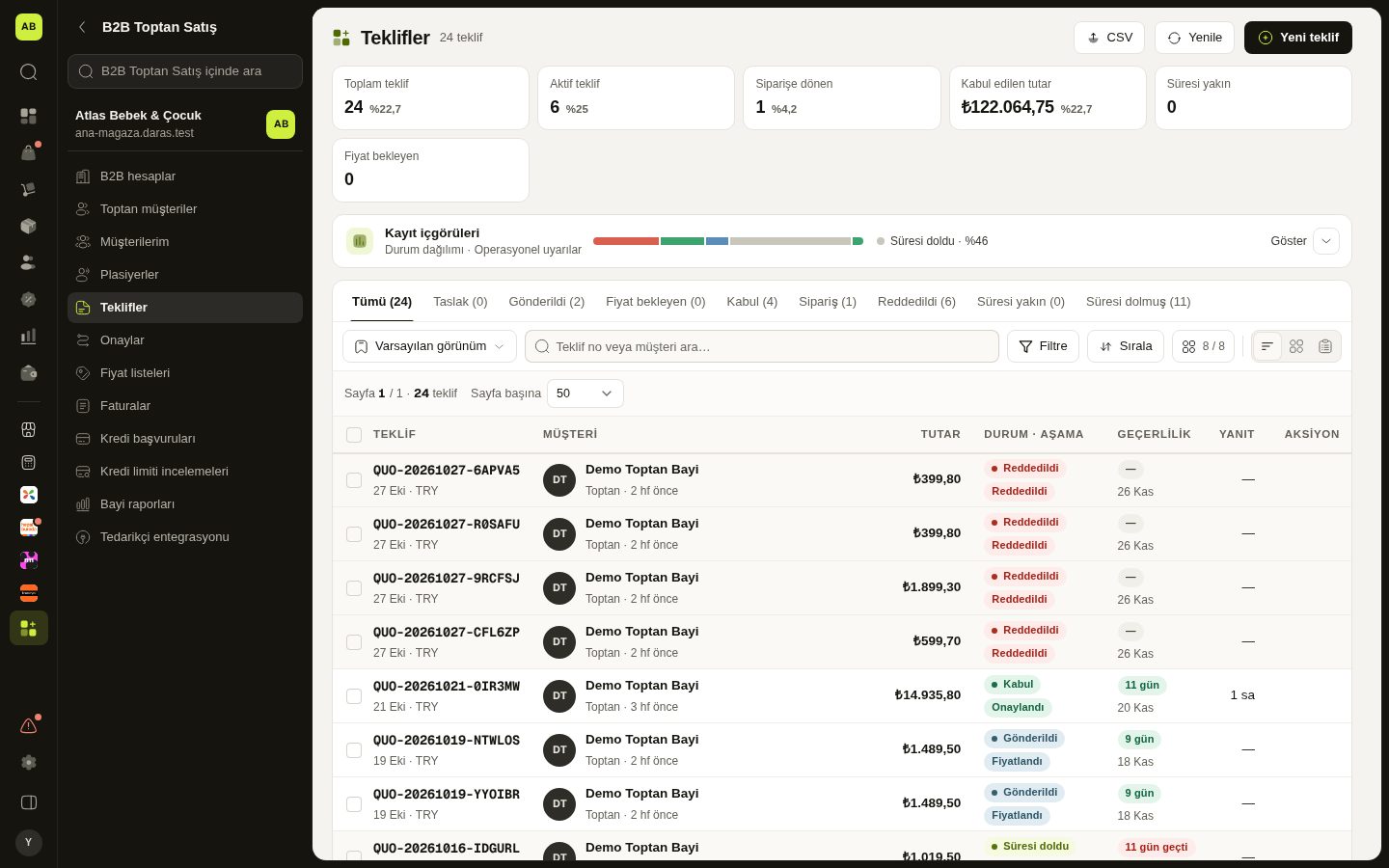
- View bulk purchase inquiries from corporate customers on the Teklif talepleri (Quote requests) and B2B → Teklifler (B2B → Quotes) screens.
- Use the B2B → Şirketler (B2B → Companies), Fiyat listeleri (Price lists), Ödeme vadeleri (Payment terms), and Bayi başvuru formları (Dealer registration forms) pages to configure custom pricing and payment terms for your dealers.
Common Issues and Solutions
| Issue | Cause | Solution |
|---|---|---|
| Customer cannot select a delivery time at checkout | The daily capacity for the selected time slot is full, or the cut-off time has passed | Increase the capacity or update the order cut-off time on the Teslimat pencereleri page. |
| Customer cannot add the product to the cart and sees a "sold by quote" warning | The store is in Yalnız teklif (Quote only) mode; products cannot be purchased through the cart | Change the sales mode on the Teklif talepleri page to Sepet + teklif (Cart + quote) or Teklif kapalı (Quotes disabled), or guide the customer to request a quote. |
| Dealer cannot see their custom wholesale prices | The customer account has not been linked to the relevant B2B company and price list | Assign the customer's email account to the dealer group on the B2B → Şirketler screen. |
Tips
- Requiring a Teslimat kanıtı (Proof of delivery) photo for furniture and home appliance deliveries lets you resolve transit damage disputes immediately.