
How to cancel an order, process a partial cancellation, and initiate a return
When a customer changes their mind before an order is handed over to the carrier—or when you need to remove an out-of-stock item from an order—follow the Order cancellation steps; for delivered items, follow the Initiating a return steps.
1. Canceling an Unshipped Order
- From the left menu, go to the Siparişler (Orders) list and click the relevant order to open its detail page.
- From the action menu in the top-right corner, click the Siparişi iptal et (Cancel order) button.
- Select the cancellation reason (Müşteri vazgeçti (Customer changed mind), Stok tükendi (Out of stock), or Ödeme doğrulama hatası (Payment verification error)).
- Check the "Ürünleri stoğa geri ekle" ("Restock items") and "Ödemeyi müşteriye iade et" ("Refund payment to customer") checkboxes and confirm the action.
2. Partial Cancellation and Initiating a Return on a Delivered Order
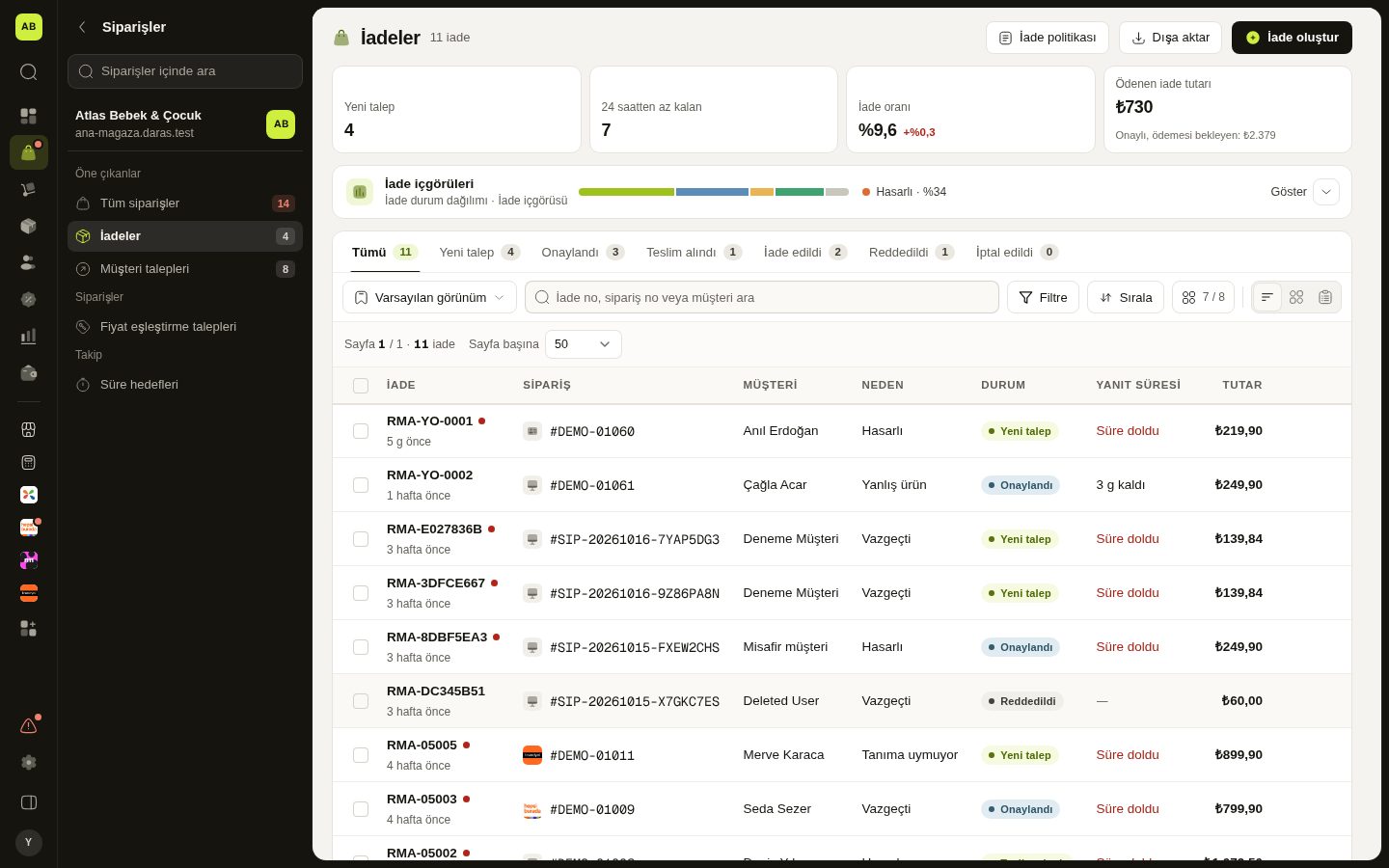
- If the customer wants to cancel or return only one of the items in the order, click the İade / Kısmi iptal başlat (Initiate return / Partial cancellation) button on the order detail page or the İade oluştur (Create return) button on the Siparişler → İadeler (Orders → Returns) page.
- Select the product line and quantity to be returned; the system automatically calculates the exact post-discount net amount down to the cent.
- Once you receive the return package, click Onayla (Approve) and then Para iadesi yap (Issue refund) to send the refund to the virtual POS or store credit.
Common Issues and Solutions
| Issue | Cause | Solution |
|---|---|---|
| "Siparişi iptal et" (Cancel order) button is not visible | The order's shipping label has already moved to "Teslim edildi" (Delivered) or "Yolda" (In transit) status | For orders that have already shipped, use the İade oluştur button instead of canceling. |
| I canceled a marketplace order from Daras, but the refund has not appeared on the customer's credit card | On marketplace orders, funds are held by the marketplace | The cancellation notice is sent to the marketplace automatically, and the marketplace processes the refund to the customer through its own payment system. |
Tips
- Before canceling an order due to an out-of-stock item, calling the customer to offer a similar or upgraded product at the same price helps preserve customer satisfaction.