
How to install app store plugins, buy modules via bank transfer, and set up workflow automations
To add new capabilities (shipping, accounting, marketing, Instagram feed) to your store and automate daily repetitive operations, use the Uygulamalar (Apps) and Otomasyonlar (Automations) menus.
1. Installing and Purchasing Plugins from the App Store
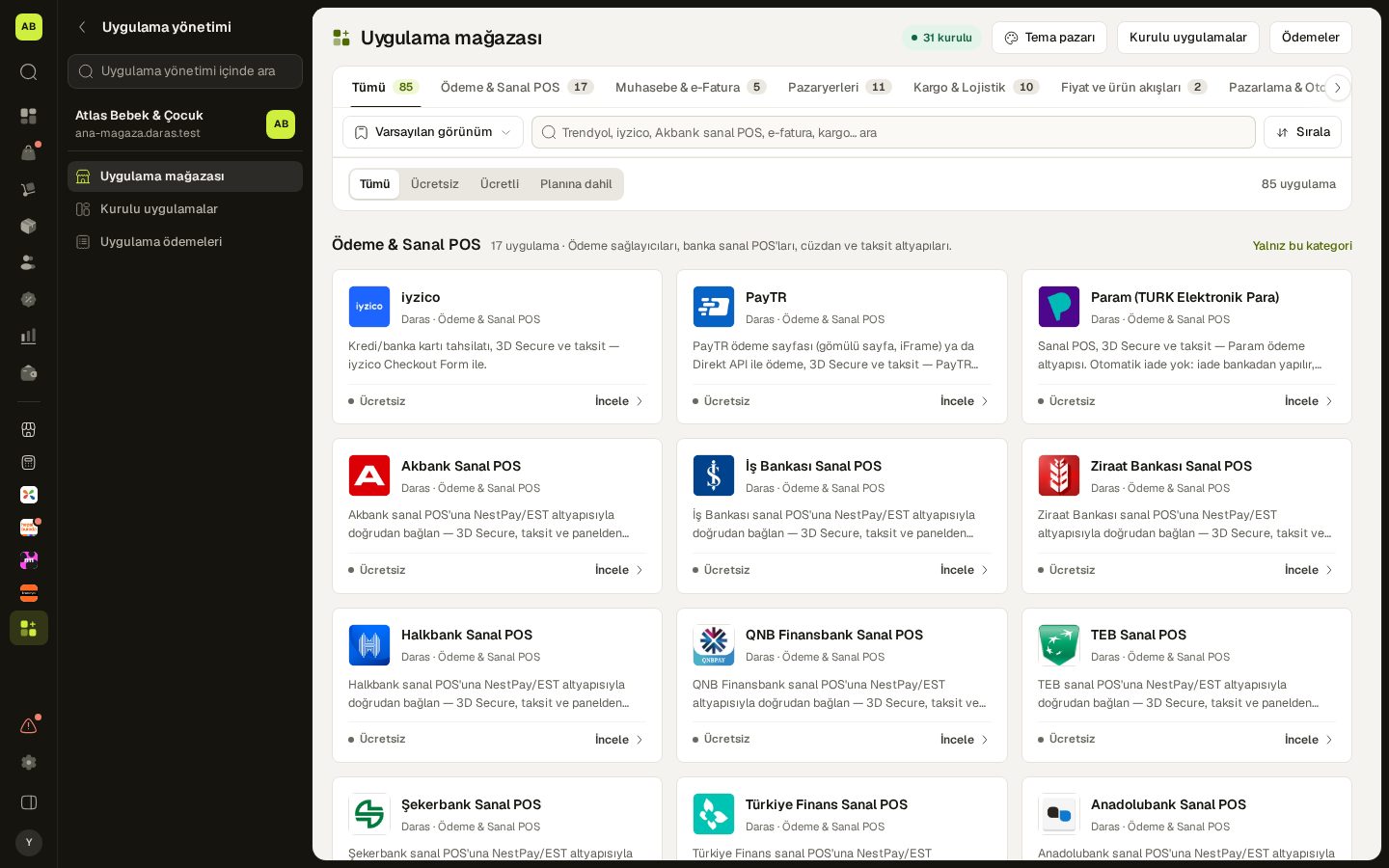
- From the left menu, go to the Uygulamalar → Uygulama mağazası (Apps → App store) page and filter by category.
- Open the detail page of the plugin you need and click the Yükle / Satın al (Install / Buy) button.
- If it is a paid module, complete checkout using the Kredi Kartı (Credit card) or Banka Havalesi / EFT (Bank transfer) option on the payment screen.
- Manage your installed plugins from Yüklü uygulamalar (Installed apps), and manage app settings and billing history from the Uygulama ödemeleri (App charges) and Paket yükseltme (Plan upgrade) screens.
2. Workflow Automations and AI Rules
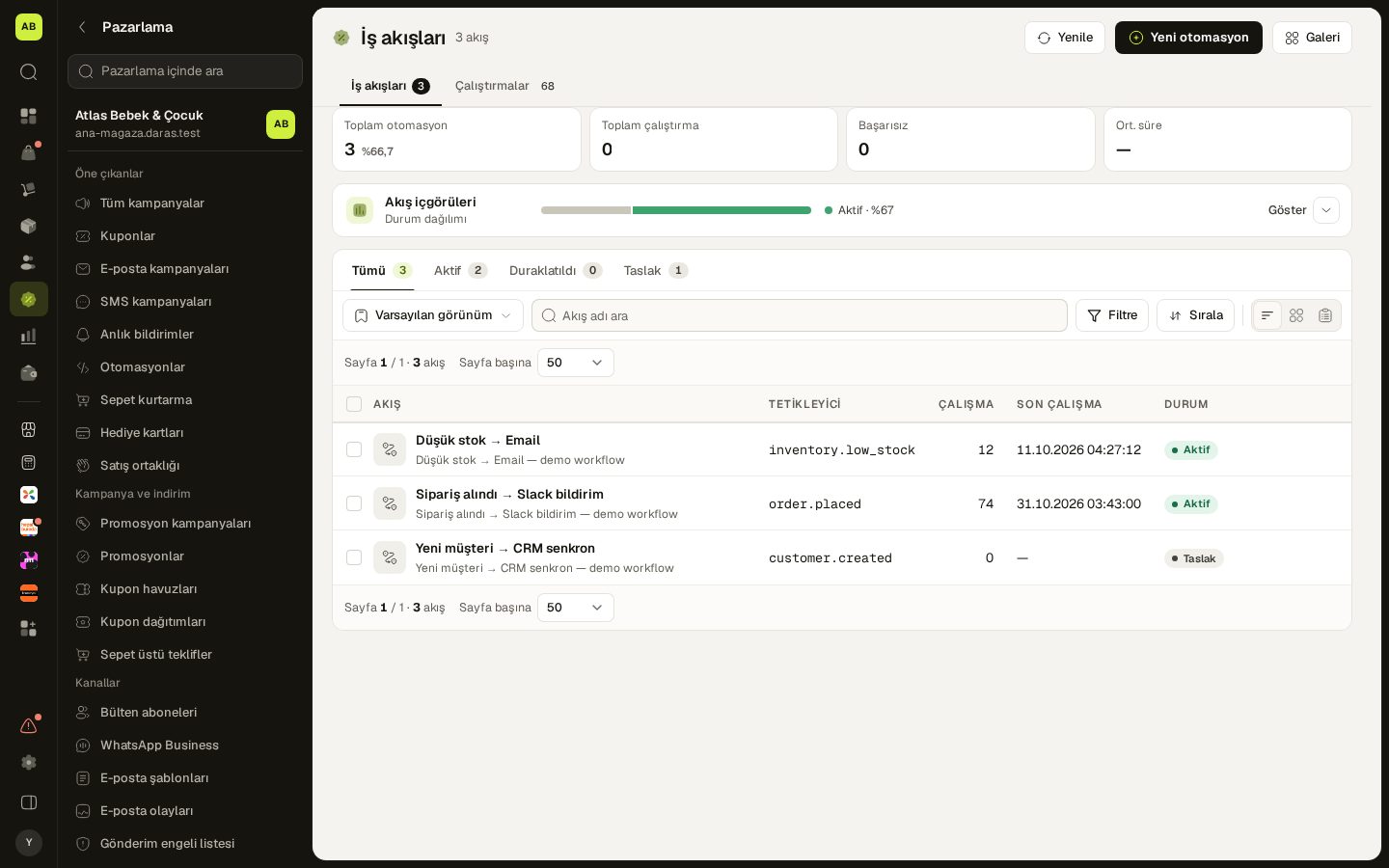
- Go to the Otomasyonlar page and click the Yeni iş akışı (New workflow) button.
- Choose a Tetikleyici (Trigger) (for example, "When an order is created", "When stock falls below the critical threshold", or "When a customer registers").
- Define a Koşul ve Eylem (Condition and Action) (for example, "Add tag", "Send email/SMS", or "Trigger webhook").
- For built-in AI automations, enable the Otomatik ürün etiketleme (Auto product tagging), Yorum denetimi (Moderasyon) (Review moderation), and Akıllı ürün önerileri (Smart product recommendations) screens.
Common Issues and Solutions
| Issue | Cause | Solution |
|---|---|---|
| Module purchased via bank transfer is not unlocked yet | Bank transfer notification is awaiting finance approval | Make sure you included the order reference code in the transfer description; a notification is sent once approved. |
| "Uygulama şu an incelemede" (App is currently under review) warning appears and I cannot buy or install the app | The app was updated and the Daras team is reviewing the new version; while under review, the app is closed to new stores in the app store | Once the review is complete, the app becomes available again in the app store so you can purchase and install it. If you installed the app previously, it continues to run during the review. |
| "Bu uygulama ücretli, önce satın almalısın" (This app is paid, you must purchase it first) warning appears | The app is paid and has not yet been purchased for your store, or its payment has not been approved | Open the app's page and complete payment using Satın al (Buy). If you selected bank transfer, installation unlocks once the payment is approved. |
| My automation rule did not run | The workflow remained in "Taslak" (Draft) status | In the İş akışları (Workflows) list, switch the toggle next to the rule to Aktif (Active). |
Tips
- As your first automation, set up the rule "Assign the 'Cash on Delivery Restricted' tag to customers who fail to accept a cash on delivery parcel 3 times in a row" to eliminate return shipping losses.