
How to set up multiple languages, exchange rates (FX), international market pricing, and tax zones?
To open your store beyond Turkey to international markets such as Europe, the Middle East, the UK, and the US (cross-border e-commerce / micro-export), you can use the Küresel Satış (Global) (Global Sales), Döviz Kurları (Exchange Rates), Çeviriler (Translations), and Vergi Bölgeleri (Tax Zones) screens.
1. International Markets and Country-Specific Pricing
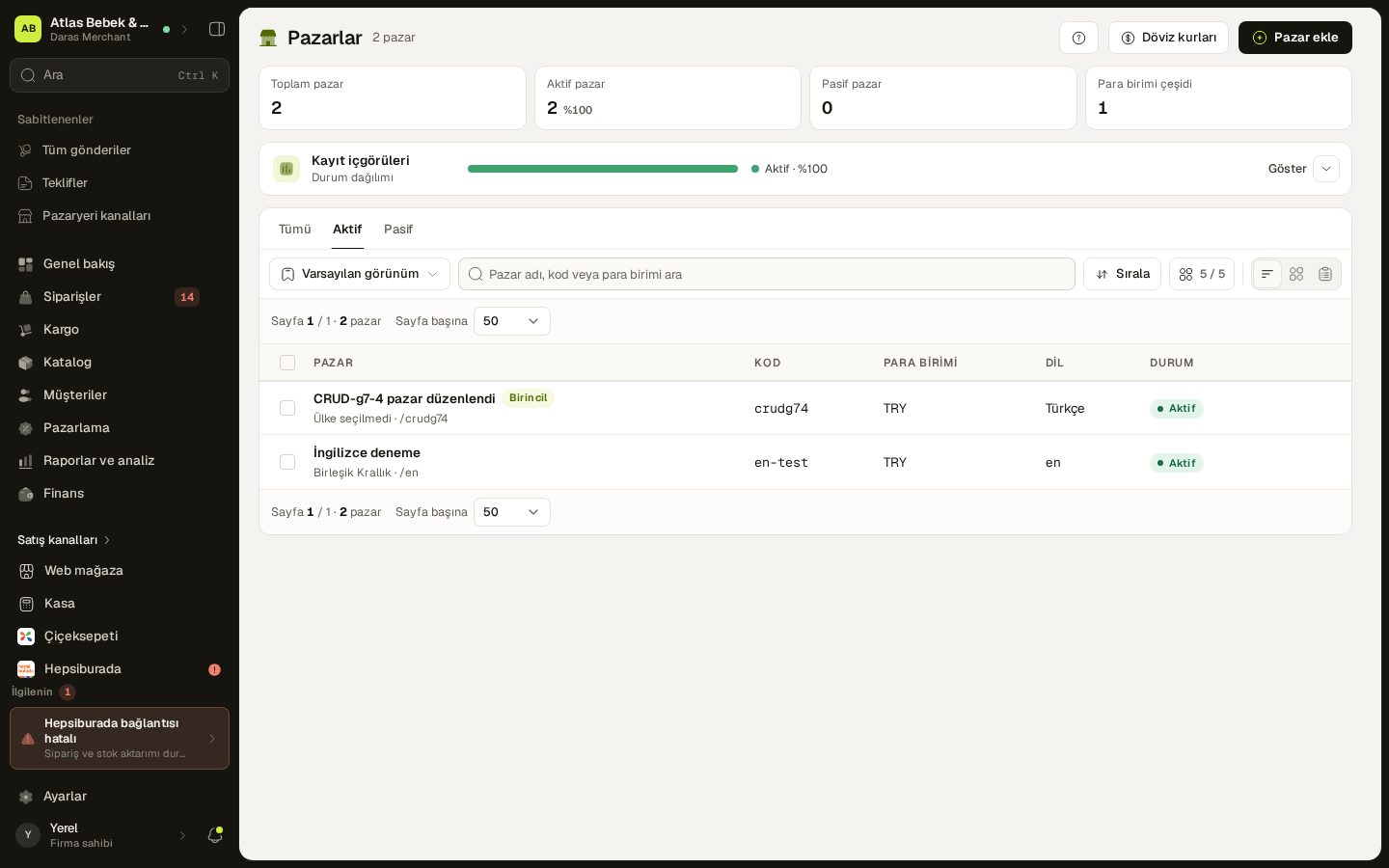
- From the left menu, go to Ayarlar → Küresel satış (Global) (Settings → Global sales) and the Pazarlar (Markets) page.
- Click the Yeni pazar ekle (Add new market) button to select the target region (for example, Avrupa Birliği (European Union), Körfez Ülkeleri (Gulf Countries), Kuzey Amerika (North America)) and the currency to use in that market (
EUR,USD,GBP,SAR). - On the Pazar fiyatlandırması (Market pricing) screen, define a country-specific price multiplier, a rounding rule, or a fixed foreign-currency price per product.
- On the Döviz kurları page, enable automatic CBRT / market exchange rate updates, or set your own fixed exchange rate buffer against currency fluctuations.
2. Multi-Language Translations, Tax Zones, and Custom Content Objects
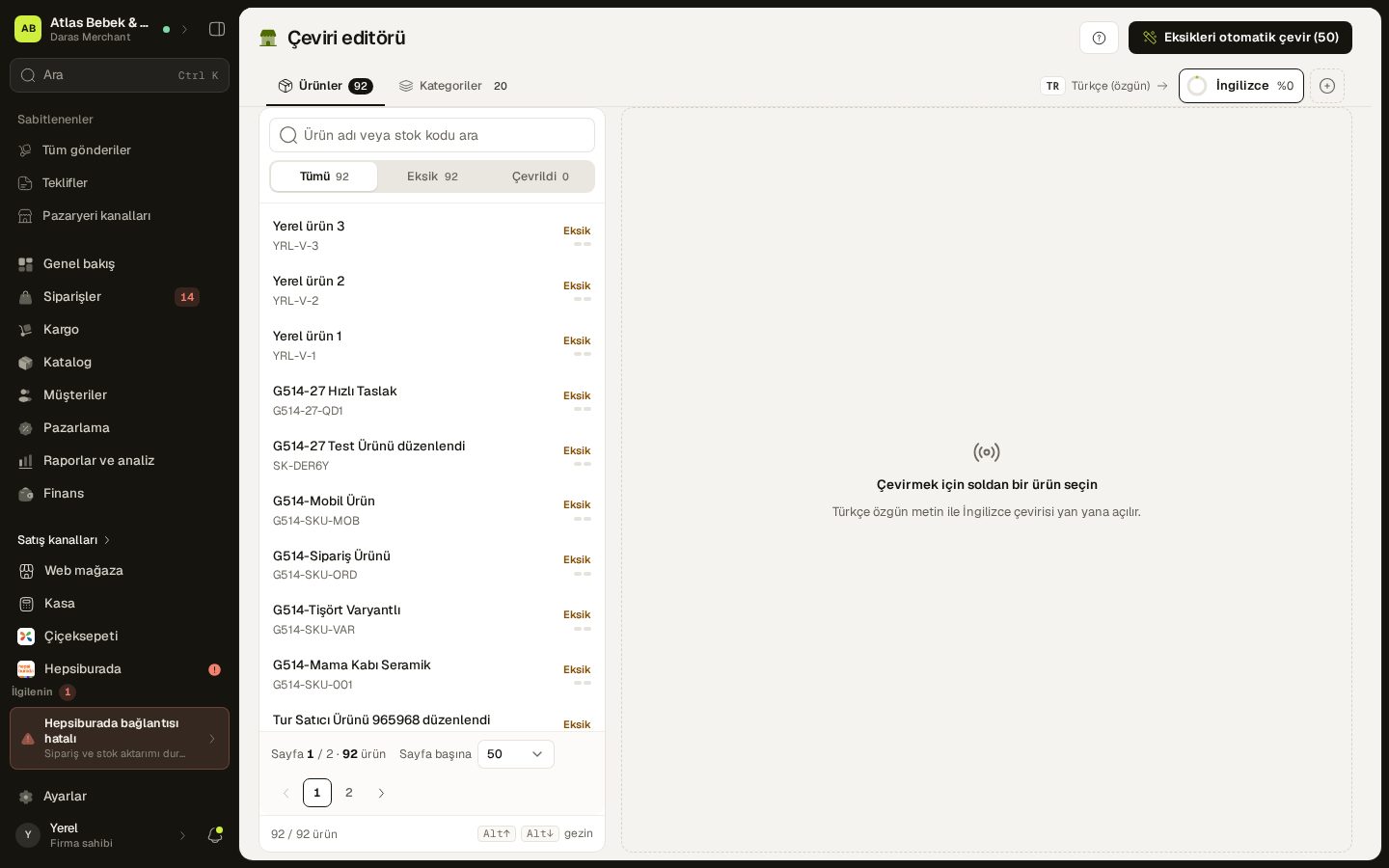
- Go to the Çeviriler page, select the target language (İngilizce (English), Almanca (German), Arapça (Arabic), Rusça (Russian), Fransızca (French)), and click the Eksikleri yapay zekâ ile çevir (Translate missing items with AI) button.
- Configure country-specific VAT / customs duty exemptions (micro-export / ETGB 0% VAT or EU OSS tax rates) on the Vergi bölgeleri screen.
- Use the Özelleştirme (Customization) and Meta nesneler (Metaobjects) (Metaobjects) screens to display multilingual custom info cards on the storefront (such as designer profiles, material glossaries, or FAQ blocks).
Common Issues and Solutions
| Issue | Cause | Solution |
|---|---|---|
| Customer visiting from abroad cannot select their country at checkout | No active shipping/delivery zone is defined for that country | Add the target country and international shipping rate on the Kargo → Teslimat bölgeleri (Shipping → Delivery zones) page. |
| Foreign-currency product price changes with odd decimals every day | Automatic exchange rate updates are on, but price rounding is off | Enable rounding to .99 or whole numbers on the Pazar fiyatlandırması screen. |
| Market price does not appear on the storefront | The market's currency differs from your store's currency | For now, the storefront, product page, and search apply pricing rules only for markets selling in your store's currency. For example, a +10% rule set on a Cyprus market selling in TRY immediately applies to customers visiting from that market. |
| "Total changed" warning appeared at checkout | The customer's cart fills using the price of the market where it was opened; if the shipping country falls into another market, the order is calculated at that market's price | The warning displays the old and new totals; once the customer confirms, the order completes at the new price. Adding items to the cart does not change the cart's market afterward. |
| Strikethrough compare-at price does not show on a product with a market price | The product has no historical price record in that market | The strikethrough price and "lowest price in the last 30 days" are calculated per market from that market's own price history. Because a legal comparison cannot be made without a record, no strikethrough price is shown; it appears once the product's price has been recorded for the first time. |
Tips
- When selling abroad via micro-export (ETGB), set the VAT rate to
0%for international delivery addresses on the Vergi bölgeleri screen so your export invoice is issued accurately.