
How to read store analytics, profit and loss (BI), live view, and demand forecasting
You can track not just how much your store sells, but how much profit you actually make on each product, why visitors leave during checkout, and which products will run out of stock next month from the Analitik (Analytics), İş Zekâsı (BI) (Business Intelligence (BI)), and Raporlar (Reports) screens.
1. Daily Analytics, Live View, and Conversion Funnel
- From the left menu, open the Analitik and Günlük özet (Daily summary) pages to review revenue, order count, average cart value, and the visitor chart.
- Switch to the Canlı görünüm (Live view) screen to see how many people are currently browsing your site and which carts are active in real time.
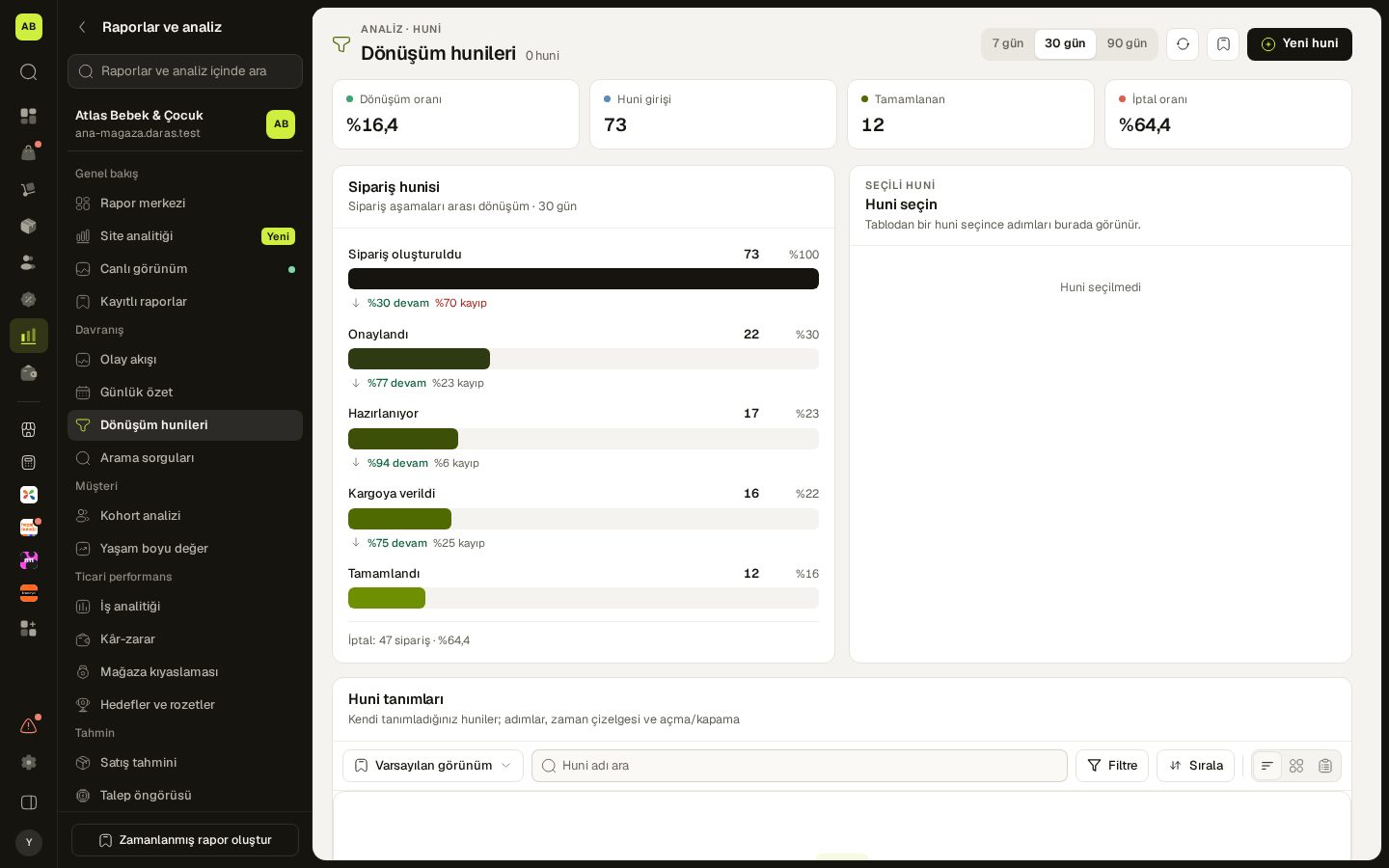
- Analyze visitor behavior from the Dönüşüm hunisi (Conversion funnel), Site performansı (Site performance), Müşteri olayları (Customer events), and Site içi aramalar (Site search queries) tabs.
- Check Yapay zekâ anomali izleme (AI anomaly monitoring) alerts to catch unexpected drops in traffic or checkout completions.
2. Business Intelligence (BI): Net Profit & Loss, Cohorts, and Industry Benchmarking
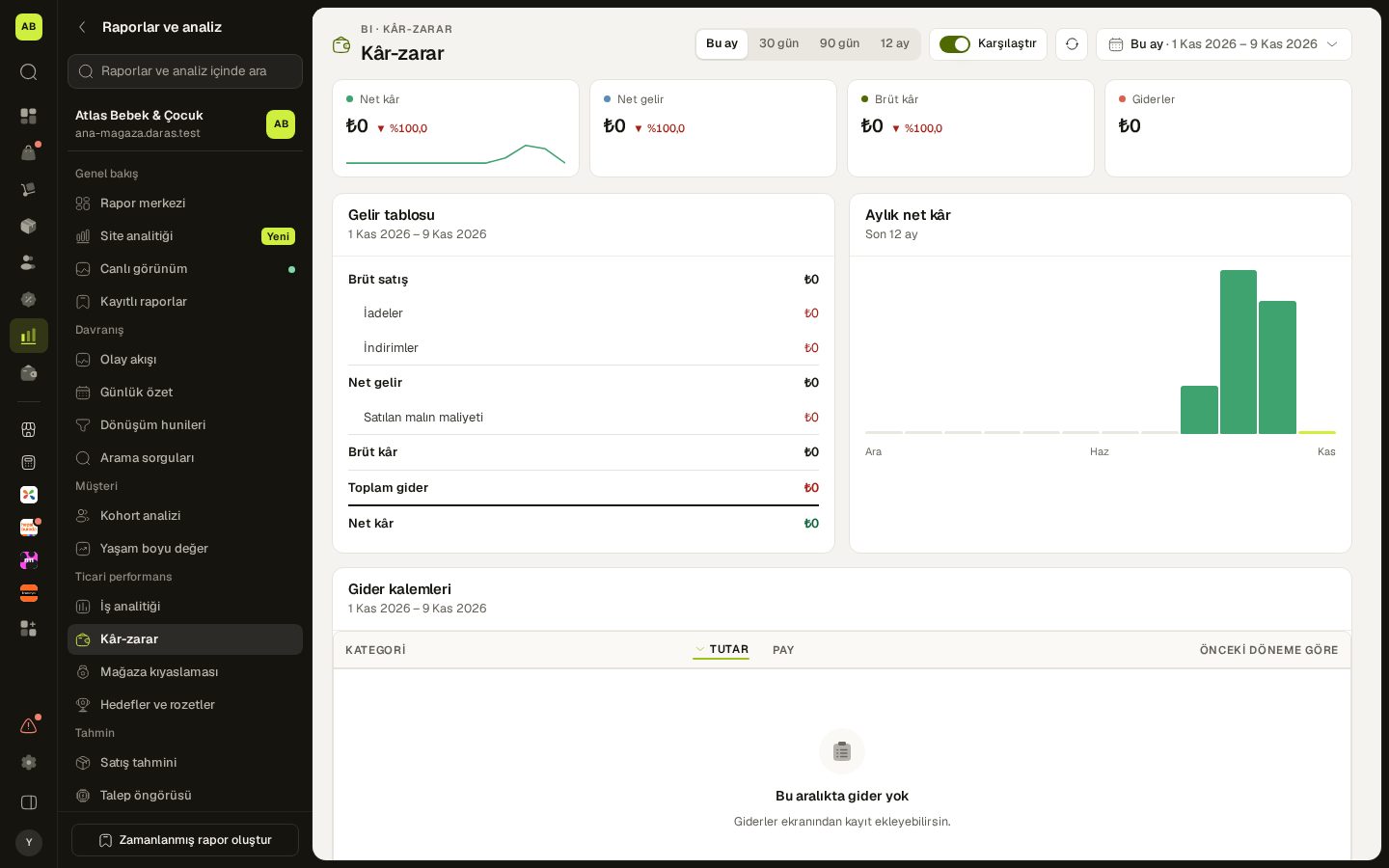
- On the İş Zekâsı (BI) → Kâr ve Zarar (Business Intelligence (BI) → Profit and Loss) page, review your remaining net profit margin after deducting product costs, shipping, commissions, and your expense documents.
- Measure customer repeat purchase rates from the Kohort analizi (Cohort analysis) and Yaşam boyu değer (LTV) (Lifetime value (LTV)) screens.
- Track your store's growth goals under Başarımlar (Achievements) and compare your store against average store performance in your industry on the Sektör kıyaslama (Industry benchmarking) page.
3. Demand Forecasting and Saved Reports
- Open the Talep tahminleme (Demand forecasting) screen to see how many days remain until each product runs out of stock.
- Use the Raporlar page for ready-made accounting and sales tables, Kayıtlı raporlar (Saved reports) for custom-filtered tables you use frequently, and Denetim dışa aktarımları (Audit exports) for official audit logs.
Common Issues and Solutions
| Issue | Cause | Solution |
|---|---|---|
| Profit margin appears unusually high (such as 90%) in the Profit & Loss table | The "Alış / Maliyet fiyatı" (Purchase / Cost price) field on product cards was left blank | Enter product cost prices from the product edit or bulk edit screen. |
| Demand forecast is not calculated for some products | The product does not have enough sales history in the last 30 days | For newly added products, the forecasting engine activates automatically once initial sales activity occurs. |
Tips
- Check the Dönüşüm hunisi screen once a week: if add-to-cart rates are high but checkout completion is low, review your shipping rates or payment gateway installment options.