
How to connect Instagram, TikTok, Google, WhatsApp, SMS, and Quick Commerce (Q-Commerce) channels
You can grow omnichannel sales by reaching customers not only through your website, but also across Instagram, TikTok, Google Shopping, WhatsApp, SMS / Web Push, and Quick Commerce (Courier) channels.
1. Connecting Instagram, Facebook, TikTok, and Google Channels
- From the left menu, select the relevant platform under Kanallar (Channels):
- Instagram or Facebook: Click Hesabı bağla (Connect account) and grant access with your Meta Business account; enable the Instagram feed display on your storefront and product catalog sync.
- TikTok: Enable your TikTok Pixel and product catalog connection.
- Google: Complete the Google Merchant Center and Google Analytics / Ads conversion tracking connection.
2. WhatsApp, SMS, and Web Push Notification Settings
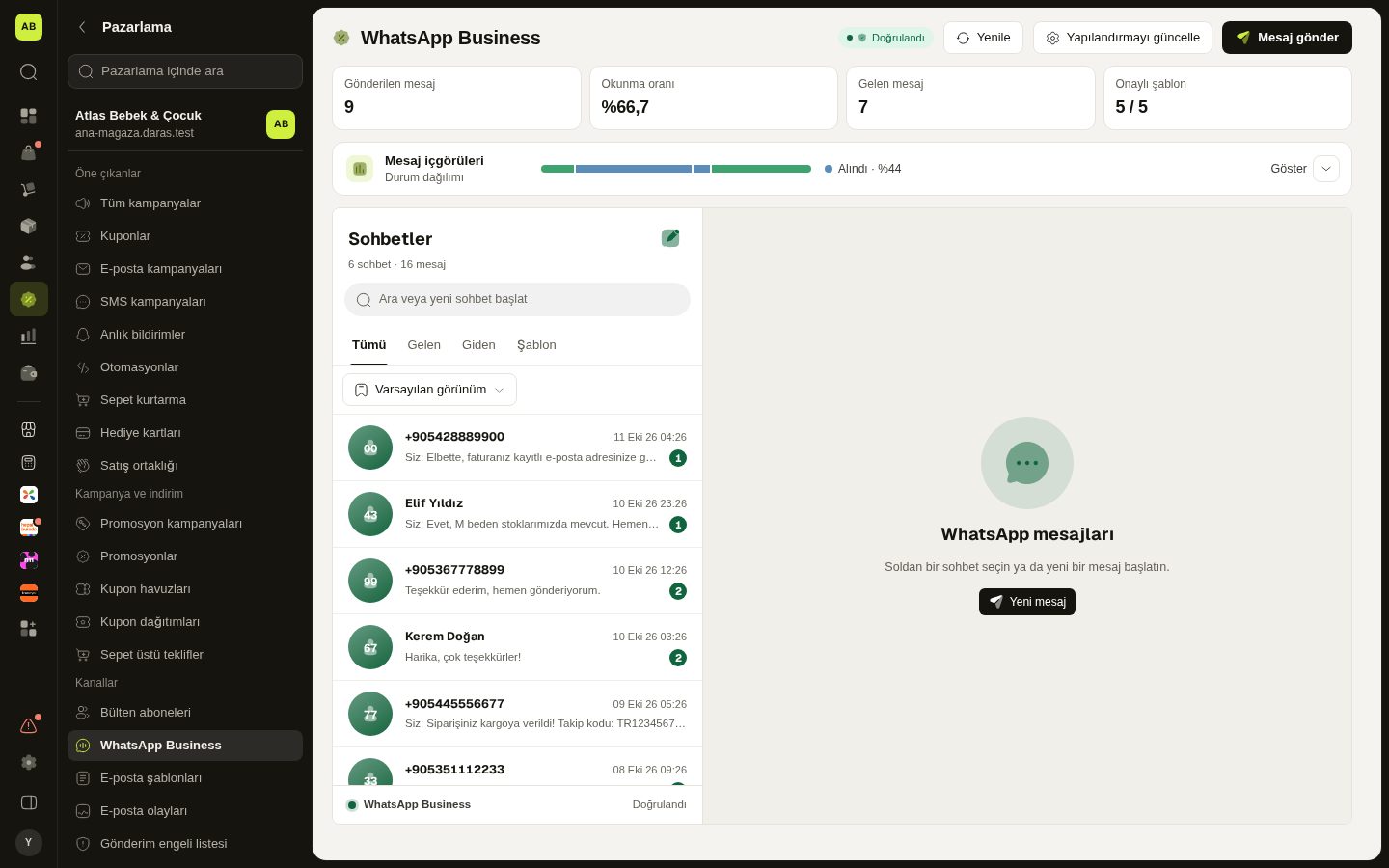
- On the Pazarlama → WhatsApp (Marketing → WhatsApp) page, configure the "Order / Support via WhatsApp" bubble displayed on your storefront, your welcome message, and order status templates.
- On the Pazarlama → SMS (Marketing → SMS) page, select your SMS provider and activate shipment tracking and campaign message templates.
- Manage the browser notification opt-in prompt and campaign announcements on the Web Push screen to send free instant push notifications via browsers.
3. Quick Commerce (Q-Commerce) and Neighborhood Delivery
- If you offer same-day or sub-hour courier delivery, go to the Hızlı ticaret (Quick commerce) page.
- Define your delivery radius (km or neighborhood/postal code), minimum cart amount, and average preparation time (e.g., 30–45 min).
4. Tracking Advertising Budgets
- On the Ortaklık ve reklam → Reklam bütçeleri (Affiliate and ads → Advertising budgets) page, click Bütçeyi oluştur (Create budget) to enter the ad network, total amount, and start and end dates; optionally set a daily or monthly cap.
- Submit the budget for approval. Approval must be granted by the store owner or another authorized team member, not the person who created the budget.
- Once the budget is active, record ad network spend using Harcama gir (Log spend); spend pace and attributed revenue appear in the table.
Common Issues and Solutions
| Issue | Cause | Solution |
|---|---|---|
| Instagram connection returns a "Oturum süresi doldu" (Session expired) error | Access token must be renewed under Meta's security policy | Go to Kanallar → Instagram and click Yeniden bağla (Reconnect) to refresh authorization. |
| "SMS göndermek için önce bir SMS sağlayıcısı bağlayın" (Connect an SMS provider first to send SMS) | No SMS provider is connected to the store | Connect and enable your SMS provider under Uygulamalar → Pazarlama (Apps → Marketing). |
| "Gönderilecek alıcı kalmadı" (No recipients left to send to) or "Bu numara tanıtım SMS'lerinden çıkmış" (This number has opted out of promotional SMS) | All selected phone numbers are on the opt-out list or have not granted SMS consent | Promotional messages are sent only to opted-in customers; expand your recipient list with consenting customers. |
| "Kendi oluşturduğunuz reklam bütçesini onaylayamazsınız" (You cannot approve an advertising budget you created yourself) | Budget approval enforces a four-eyes principle | Have the store owner or another authorized team member approve it. |
| "Bu bütçe yayında değil" (This budget is not active) | Spend can only be logged against an approved, active budget | Submit the budget for approval and get it approved, or resume it if paused. |
| "Toplam bütçe harcanan tutarın altına indirilemez" (Total budget cannot be reduced below the amount already spent) | Spend logged so far exceeds the new budget total | Keep the total budget above the amount already spent. |
| Campaign SMS was not delivered to some customers | The customer has not granted commercial SMS consent on İYS (Turkish Message Management System) | Promotional campaign SMS messages go only to opted-in recipients; transactional shipping and invoice SMS alerts are delivered regardless of commercial consent. |
Tips
- Sending an automated WhatsApp or SMS alert when a shipment tracking number is generated cuts "Where is my order?" support tickets by 70%.