
How to manage customer profiles, segments, store credit, and the waitlist
To reward loyal customers, keep refund amounts inside your store, and prevent problematic orders, you can use the profile cards under the Müşteriler (Customers) menu, the Mağaza kredisi (Store credit) wallet, and the Segmentler (Segments) tool.
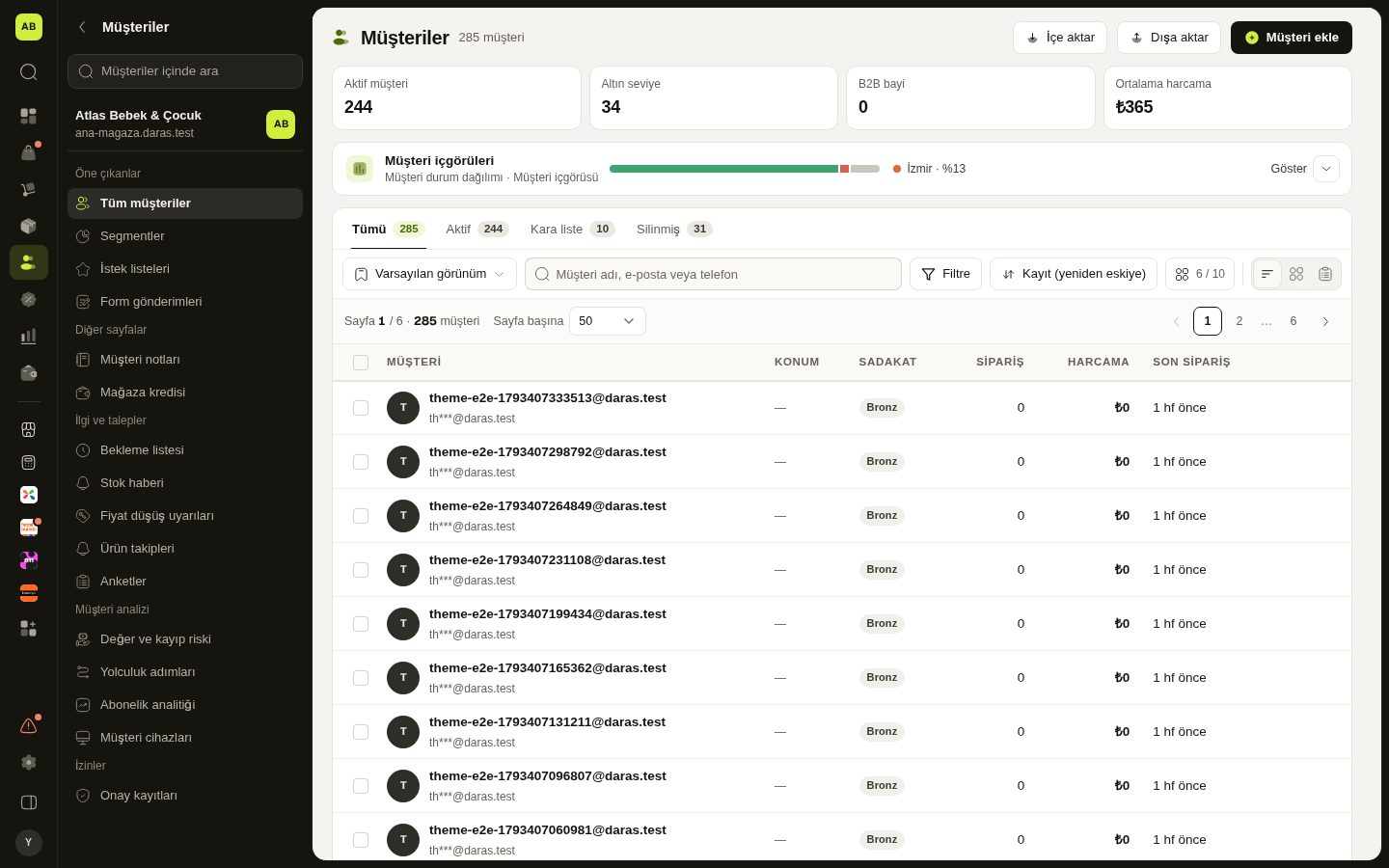
1. Customer List, Tagging, and Blacklist Actions
- From the left menu, go to the Müşteriler page.
- Use Müşteri ekle (Add customer) to register a new buyer manually, or İçe aktar (Import) / Dışa aktar (Export) to upload or download lists in bulk.
- Select multiple customers from the list and group them using the Etiket / segment ekle (Add tag / segment) button on the top bar (for example, "VIP", "Wholesale Buyer"), or apply Kara listeye al (Add to blacklist) for abusive accounts.
- Click a customer row to open their detail card and review past orders, addresses, and Müşteri notları (Customer notes) records.
2. Issuing Store Credit (Wallet Balance)
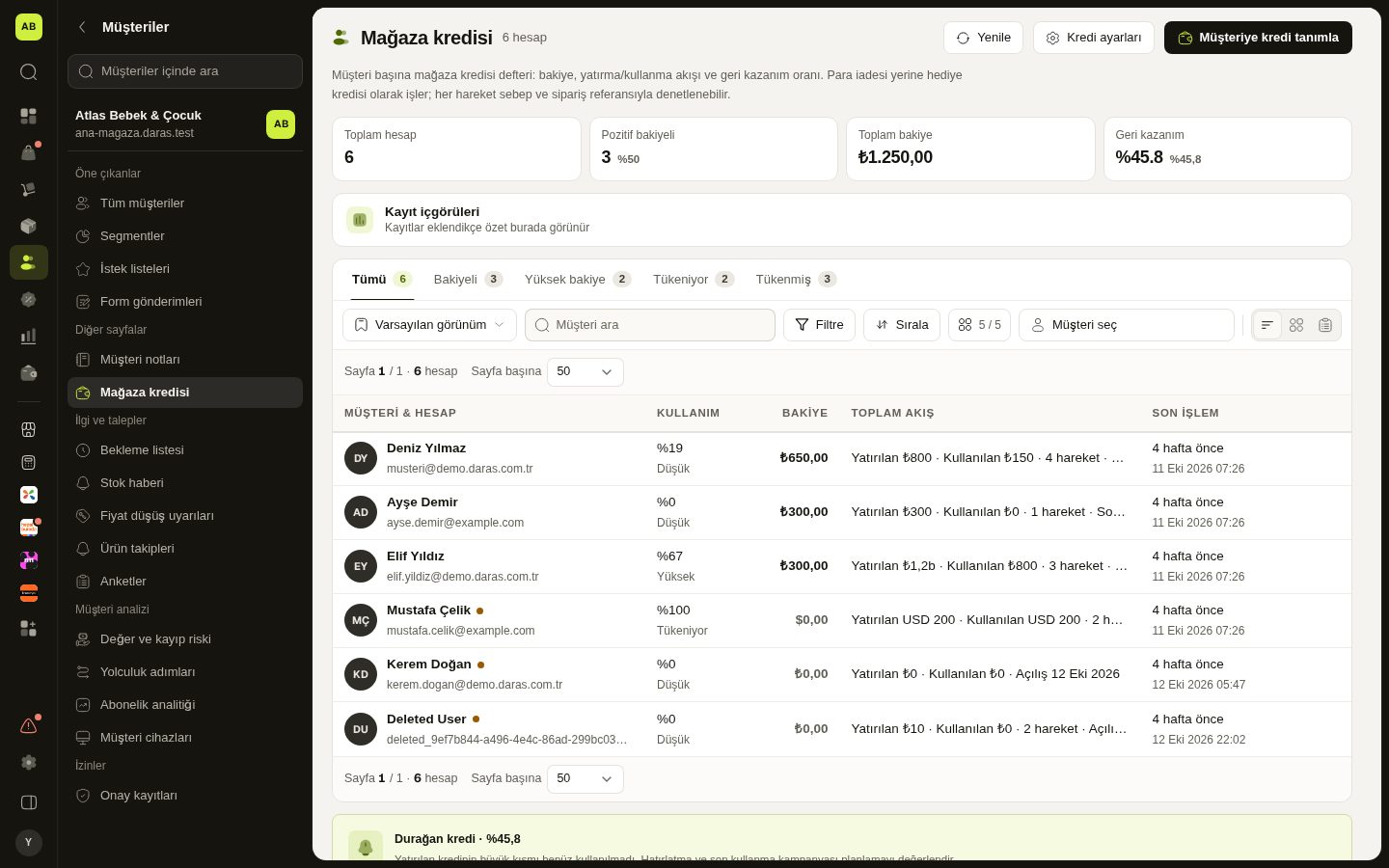
- Open the Müşteriler → Mağaza kredisi (Customers → Store credit) screen.
- Select the customer and enter the TRY amount to load, the reason (e.g., "Refund balance", "Goodwill gift"), and an expiration date if applicable.
- The customer sees their balance at checkout, or you can deduct the customer's store credit when creating a manual order from the Yeni sipariş (New order) screen.
3. Segments, Lifetime Value (LTV), Surveys, and Waitlist
- Use the Müşteriler → Segmentler (Customers → Segments) page to build dynamic target audiences (e.g., "Customers with no orders in the last 60 days").
- Monitor your highest-value customers and their progression from first purchase to loyal customer on the Yaşam boyu değer (LTV) (Lifetime value (LTV)) and Yolculuk kilometre taşları (Journey milestones) screens.
- Use Müşteri anketleri (Customer surveys) to measure satisfaction, Cihazlar (Devices) to view signed-in phone/browser breakdown, and Bekleme listesi (Waitlist) for exclusive collection pre-registrations.
Common Issues and Solutions
| Issue | Cause | Solution |
|---|---|---|
| Customer cannot see store credit at checkout | The customer proceeded to checkout as a guest without signing in | For security reasons, store credit is visible only on accounts signed in via email or phone. |
| I get an error when importing customers via CSV | Phone numbers were uploaded without a country code prefix or with duplicate emails | Re-upload the file following the sample format in the template (+905...). |
Tips
- Offering customers who request a return the option "Let us issue your refund instantly as Store Credit with an extra +10% bonus without waiting for the bank" is the most profitable way to keep your revenue inside the store.