
How to build an auto-updating store with XML and dropshipping (Complete A-to-Z Guide)
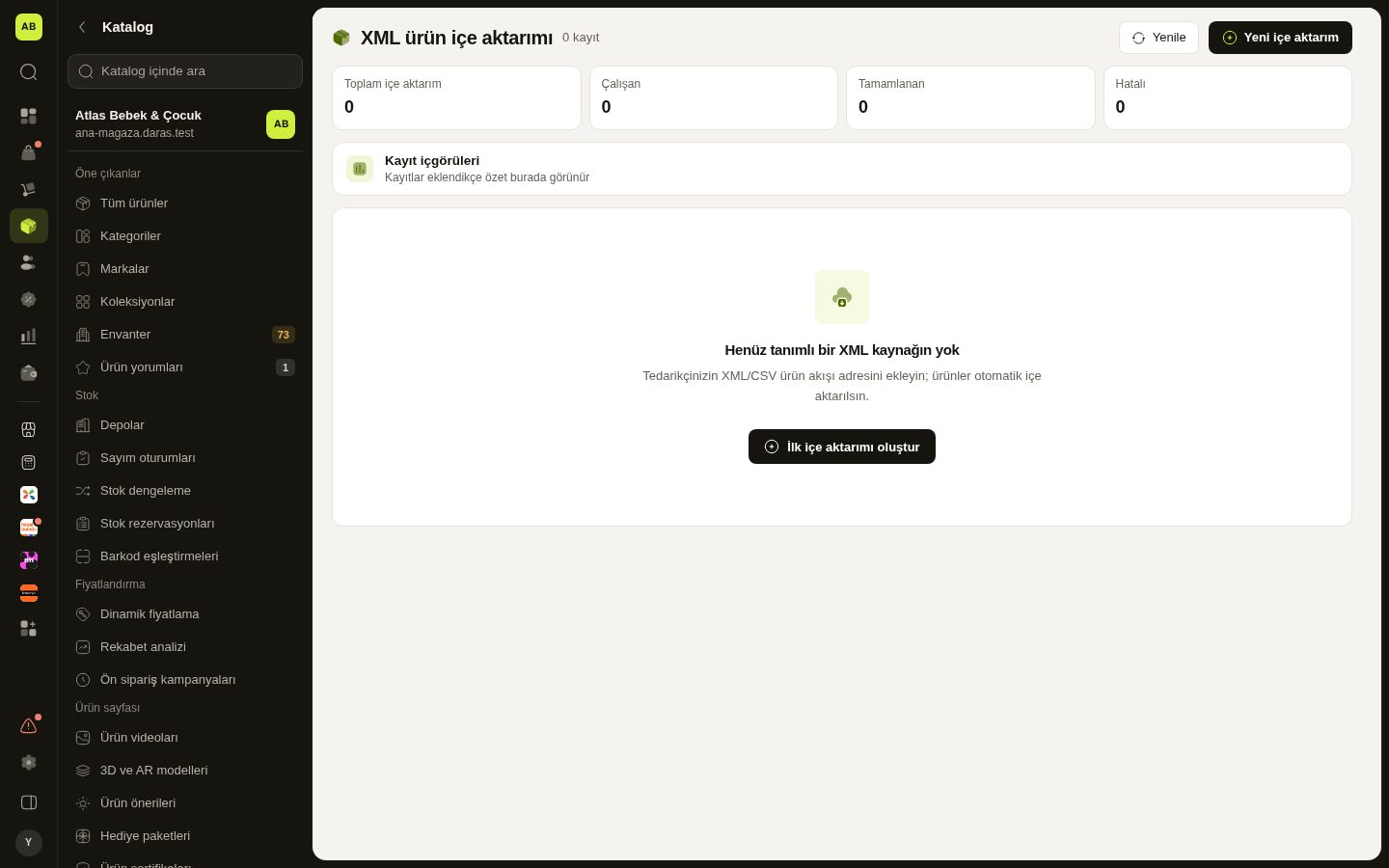
Short answer: To build a self-updating store powered by a supplier XML feed, connect the XML URL on the Katalog → XML İçe Aktarım (Catalog → XML Import) screen, set up profit margin and safety stock rules, and turn on scheduling. Next, complete missing attributes via Özellikleri otomatik doldur (Autofill attributes) and push your products to marketplaces through Kanal fiyatı ve ürün seçimi (Channel pricing and product selection).
Setting Up an Automated XML and Dropshipping Store Step by Step
Step 1: Add the Supplier XML Feed and Map Fields
- From the left menu, go to Katalog → XML İçe Aktarım and click the Yeni içe aktarım (New import) button.
- On the Kaynak (Source) tab, fill in Tedarikçi adı (Supplier name) and XML kaynak adresi (XML source URL), then click Otomatik tespit et (Auto-detect).
- On the Eşleme (Mapping) and Varyantlar (Variants) tabs, confirm that product fields and the color/size pattern (
Ürün içinde liste(Nested list inside product) orAyrı satırlarda(Separate rows)) are selected accurately.
Step 2: Define Price, VAT, and Safety Stock Rules
- Switch to the Kurallar (Rules) tab and select Beslemedeki fiyatın KDV durumu (Feed price VAT status).
- Fill in Kâr oranı (%) (Profit margin (%)), Sabit ekleme (TL) (Fixed markup (TRY)) for shipping allowance, and Fiyat yuvarlama (Price rounding) (
.90/.99). - To prevent overselling, enter
3in Bu sayının altındakileri sıfır say (Treat stock below this number as zero) under Stok (Stock) and set a Güvenlik payı (stoktan düş) (Safety buffer (deduct from stock)) value.
Step 3: Lock the Update Mode, Run a Dry Run, and Schedule
- On the Güncelleme (Update) tab, select Yalnız fiyat ve stok (Price and stock only).
- On the Zamanlama (Schedule) tab, choose how frequently automatic syncs run.
- On the Deneme (Dry run) tab, run a test with Denemeyi başlat (Start dry run); once results look accurate, click Kaydet ve çalıştır (Save and run).
Step 4: Autofill Missing Category Attributes and Publish to Marketplaces
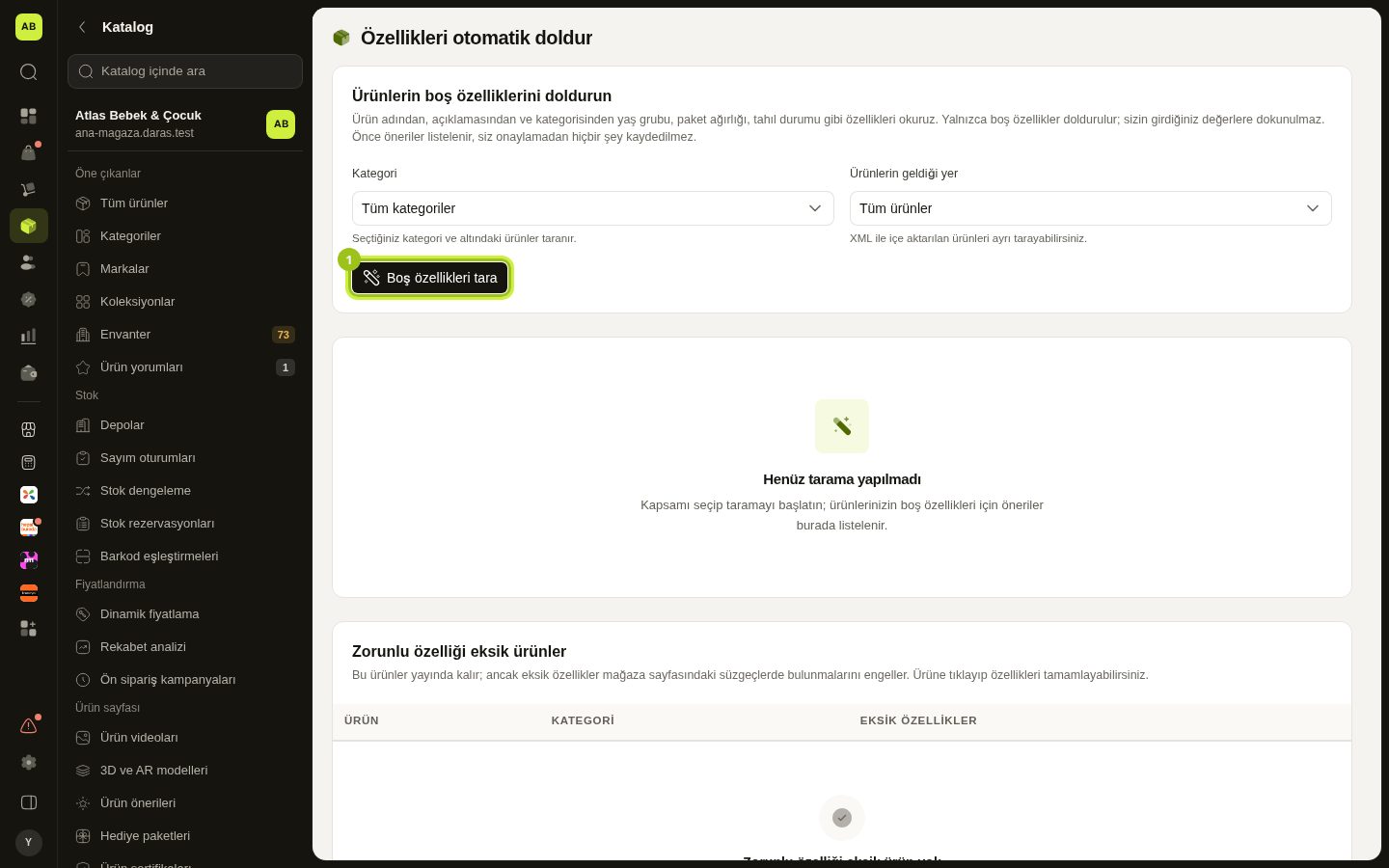
- Once the import completes, go to Katalog → Özellikleri otomatik doldur (Catalog → Autofill attributes) and click Boş özellikleri tara (Scan missing attributes) followed by Önerilenlerin hepsini uygula (Apply all suggested).
- If you also plan to sell on marketplaces, save your commission protection rule on Satış Kanalları → Kanal fiyatı ve ürün seçimi (Sales Channels → Channel pricing and product selection) and click Toplu gönder (Send in bulk) on the Pazaryeri kanalları (Marketplace channels) screen.
Common Issues and Solutions
| Issue / Warning | Cause | Solution |
|---|---|---|
| Shipping costs eat into profits on low-priced items | Only a percentage profit margin was entered, with no fixed shipping allowance added. | Set a minimum floor under En düşük kaynak fiyat (Minimum source price) on the Kurallar tab and add your average shipping cost into Sabit ekleme (TL). |
| Products show a "Zorunlu özellik eksik" (Missing required attribute) warning on marketplaces | Fields such as Material or Fit came in blank from the supplier XML. | Enable Kalan boşlar için yapay zekâdan öneri al (Get AI suggestions for remaining blanks) on the Özellikleri otomatik doldur page and run a scan. |